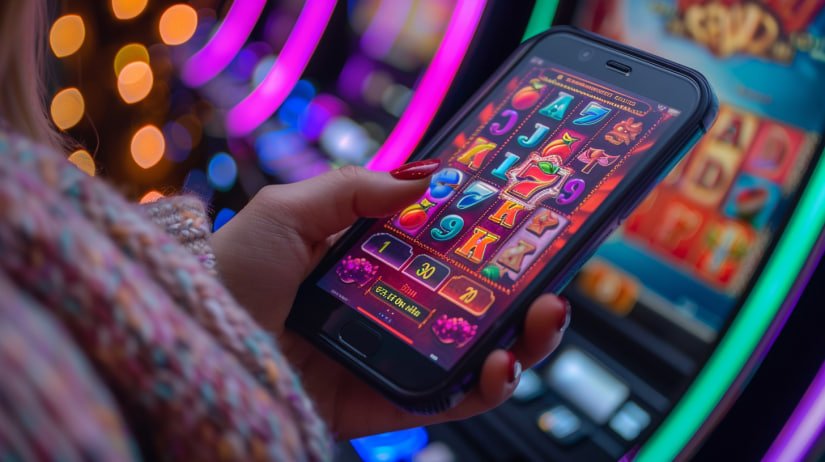
Why Download the kg36 App?
Most Filipino players access their favourite online gaming platforms from a phone. Whether you are in Manila, Cebu, or Davao, the reality is that your Android or iPhone is usually the most convenient device available — and kg36 is built to take full advantage of that.
Having a dedicated shortcut or installed app on your phone means you can get to your account without opening a browser and typing an address every time. One tap and you are in. Your balance, your open bets, your game history — everything loads immediately in a layout designed specifically for mobile screens.
The kg36 mobile platform gives you the same access as the full desktop site: sports betting on PBA, NBA, boxing, and esports; live casino tables; slot games; and full PHP deposit and withdrawal support. Nothing is locked to desktop. If you want to place a live bet on a PBA game during halftime or spin a few rounds on a slot while waiting for your order, all of that is available directly from your phone.
Android APK
Download the kg36 APK file directly and install it on any Android device running Android 8.0 or higher. Works on most Philippine budget and mid-range handsets.
- Direct APK download — no Play Store required
- Compatible with Android 8.0 and above
- Works on budget Android phones
- Lightweight install file
iOS / iPhone
Add kg36 to your iPhone home screen directly from Safari for instant access. A full web app experience without needing the App Store.
- No App Store download needed
- Supports iOS 13 and above
- Add to Home Screen via Safari Share menu
- Full mobile site experience on iPhone
How to Download and Install kg36 on Android
Installing the kg36 APK on an Android phone takes just a few minutes. Because the file is downloaded directly rather than through the Google Play Store, you will need to allow your phone to install apps from unknown sources — this is a standard step for APK installations and is completely reversible after setup.
Open Your Mobile Browser
On your Android phone, open Chrome or any browser you prefer and navigate to kg36.vu. Make sure you are on the official site before downloading anything.
Go to the Download Section
Look for the Android download option on the page. Tap the download button to start downloading the kg36 APK file to your phone's storage.
Allow Installation from Unknown Sources
When prompted, go to your phone's Settings, then Security or Privacy, and enable "Install unknown apps" for your browser. The exact wording varies slightly depending on your Android version and phone brand.
Open the Downloaded APK
Go to your Downloads folder or tap the notification that appears after the download completes. Open the APK file and tap Install when prompted.
Launch the App and Log In
Once installed, tap Open or find the kg36 icon on your home screen or app drawer. Log in with your existing account, or tap Register if you are a new player.
Optional — Disable Unknown Sources Again
For extra security, you can turn off "Install unknown apps" again after the kg36 app is installed. The app will continue to work normally.

How to Add kg36 to Your iPhone Home Screen
iOS does not allow APK installations, but you can still get a fast, app-like experience on your iPhone by adding kg36 to your home screen through Safari. This creates a shortcut icon that opens the kg36 mobile site directly — no address bar, no searching, just one tap to your account.
Open Safari on Your iPhone
The Add to Home Screen feature is only available through Safari on iOS. Make sure you are using Safari, not Chrome or Firefox, for this process.
Navigate to kg36.vu
Type kg36.vu into the Safari address bar and load the site. Wait for the page to fully load before proceeding to the next step.
Tap the Share Button
At the bottom of the Safari screen, tap the Share icon — it looks like a box with an arrow pointing upward. A menu will slide up from the bottom.
Select "Add to Home Screen"
Scroll through the share menu options and tap "Add to Home Screen." You can edit the label if you like, then tap "Add" in the top right corner.
Find the Icon on Your Home Screen
The kg36 icon will appear on your iPhone home screen. Tap it anytime to open the platform directly, without going through Safari's address bar.

Device and System Requirements
kg36 runs smoothly on most phones currently in use across the Philippines. Here is a quick reference for the technical requirements across different platforms.
| Platform | Minimum Version | Recommended | Method |
|---|---|---|---|
| Android | Android 8.0 | Android 11 or later | APK Download |
| iPhone / iOS | iOS 13 | iOS 16 or later | Add to Home Screen |
| Mobile Browser | Chrome, Safari, Firefox | Latest version | Direct Access |
| Internet Connection | 3G | 4G LTE or WiFi | All platforms |
| Storage (APK) | ~50 MB free space | 100 MB+ free | Android only |
Live casino streams and live sports coverage use more data than standard betting pages or slot games. If you are on a mobile data plan rather than WiFi, connecting on a 4G LTE signal will give you a more stable experience for live content. Standard sports betting markets and slot gameplay run well even on a 3G connection.
What You Get After Installing kg36
Once the app is set up on your phone, you have full access to everything the kg36 platform offers. Here is a breakdown of what is available from day one.
Sports Betting
Browse pre-match and live odds for basketball, football, boxing, esports, volleyball, and international leagues. Place bets and track results in real time.
Live Casino
Join streamed live dealer tables for baccarat, roulette, and blackjack. Play against real dealers from your phone screen with interactive controls.
Slot Games
Access the full slot library on mobile. Launch any game with a single tap and enjoy smooth touchscreen gameplay across different themes and providers.
PHP Deposits and Withdrawals
Fund your account and request payouts in Philippine Peso through online banking and bank transfer, all from within the app.
Secure Login with OTP
Your account is protected with SSL encryption and OTP verification for new device logins, keeping your balance and personal data secure.
Full Account Management
Review your transaction history, manage security settings, update your profile, and check your current balance anytime from the app.

Troubleshooting Common Installation Issues
Most players complete the Android installation without any issues, but here are a few situations that occasionally come up and how to handle them.
"Install blocked" message on Android
This appears when "Install unknown apps" has not been enabled for the browser you used to download the APK. Go to Settings > Apps, find your browser, and toggle on "Allow from this source." Then try opening the APK file again.
APK file does not open after download
Make sure the download completed fully before trying to open it. Check your Downloads folder for the file. If the file size looks unusually small, the download may have been interrupted — delete it and download again from kg36.vu.
"Add to Home Screen" not appearing on iPhone
This option is only available in Safari. If you are using Chrome or another browser on iOS, switch to Safari and reload the kg36 site from there. The Share button and Add to Home Screen option will then be available.
App loads slowly on mobile data
Switch to WiFi if available, especially for live casino content. You can also try clearing your browser cache if the app is loading stale content. For Android APK users, fully closing the app and relaunching it usually resolves temporary slowness.
Keeping Your Account Secure on Mobile
Installing the app is just the first step. Keeping your account secure while using it on mobile is equally important. Here are a few habits worth maintaining as a kg36 player.
- Always download the APK only from the official kg36.vu website. Do not install files from links shared in group chats, social media, or unofficial APK sites.
- Enable the screen lock on your phone — a PIN, fingerprint, or face unlock — so that even if your device is lost, your kg36 account is not immediately accessible.
- If you log in from a shared device, always tap Log Out when you are done. Do not rely on simply closing the app.
- Do not share your kg36 password with anyone. The support team will never ask for your password.
- Keep the app updated when new versions are released. Updates typically include security improvements alongside feature additions.